|
ASPDA Continuing Education Tracker
ASPDA started adding continuing education credits to member accounts starting in Fall 2025.
If you have any questions or need assistance after reading this guide, please email Michele Nichols, Member Service Manager, at [email protected].
Guide Sections
Accessing Your Credits
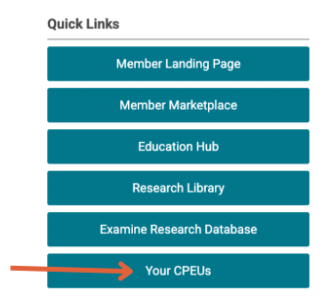
1. To access your Continuing Education report, log in to your ASPDA member account. On the member landing page, click ‘Your CPEUs’ in the Quick Links menu on the right side of the page.
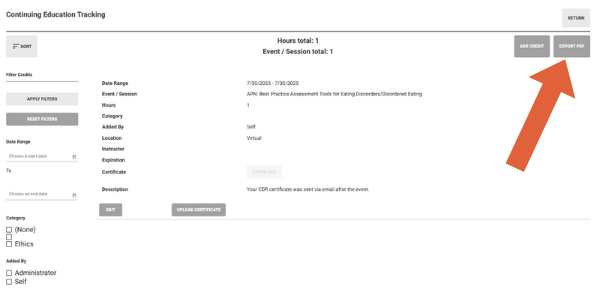
2. On the next page, you will see your Continuing Education tracker. ASPDA added credits from events in 2023 to the present. If you believe an event is missing, you can follow the directions below to add credits yourself.
Your Continuing Education Report can be downloaded using the ‘Export PDF’ button on the right side of the page. You can filter your report using the filters on the left side menu.
Uploading Your CDR Certificate
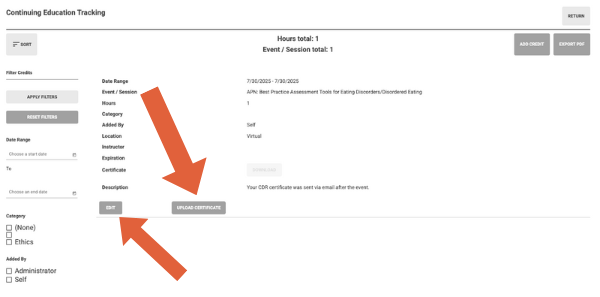
Attendees received their CDR certificate via email after each event. You can attach the certificate to the tracker if you like. To do that, click the ‘Upload Certificate’ button at the bottom of the event, then upload the certificate from your computer. Members can edit the event description to add more details. You can do that by clicking the ‘Edit’ button at the bottom of the event.
Adding Other Continuing Education
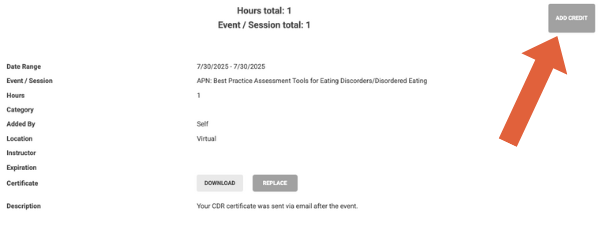
Members can also add continuing education from other sources. To do that, click the ‘Add Credit’ button in the top right corner of the Continuing Education Tracking page. You’ll be prompted to add event information in the pop-up window.
|